iPhone, iPad and Android
Your sessions in your pocket. The phone app connects to the computer that runs your agents.
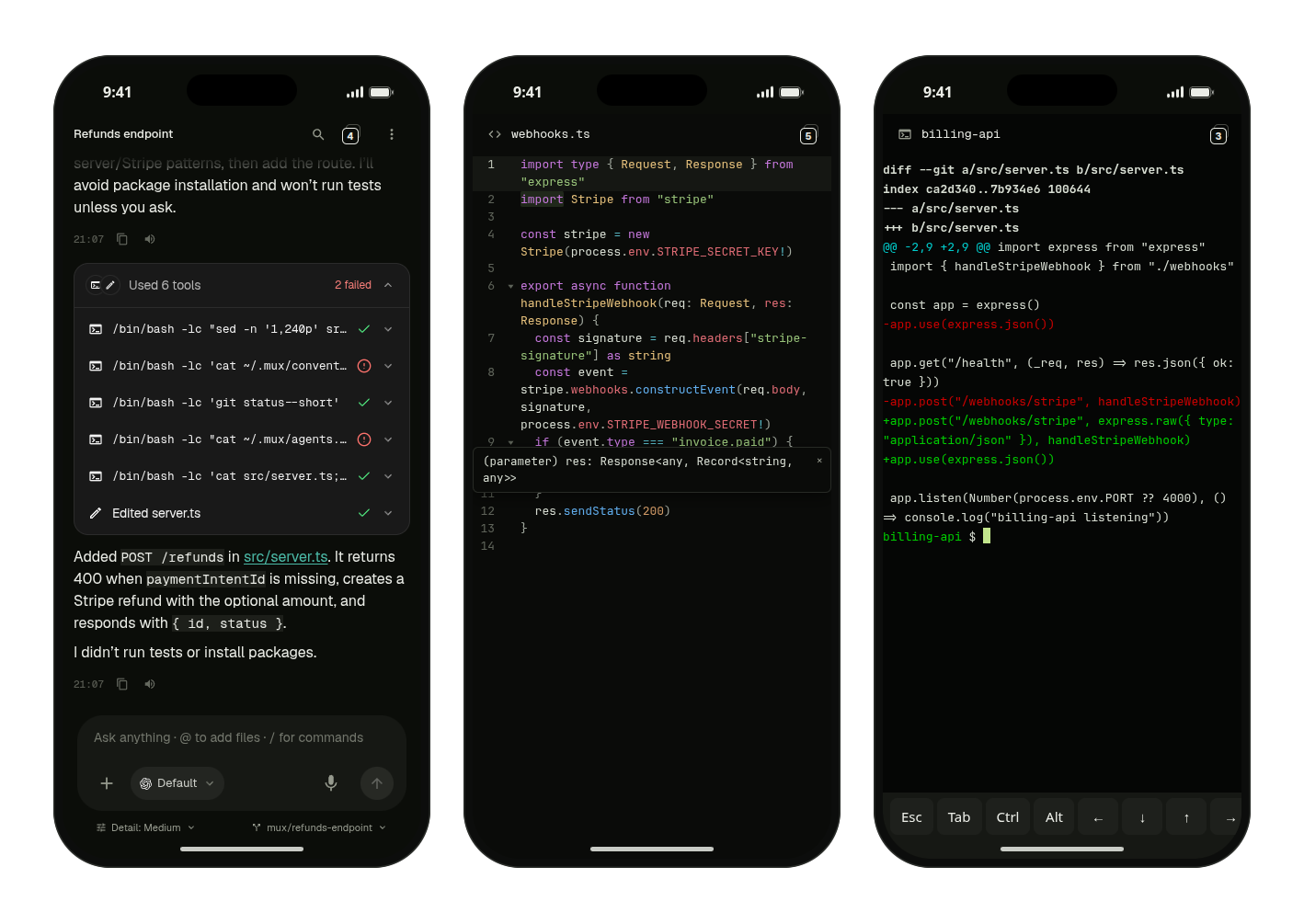
The phone and tablet apps show the same workspace as the desktop: chats, files, changes, terminals. Your agents keep running on your computer; the app is how you reach them.
Get the app
| Device | Where | Needs |
|---|---|---|
| iPhone, iPad | App Store | iOS or iPadOS 15 or later |
| Android | supermux-android.apk | Android 8 or later, 64-bit |
The Android app isn't on Google Play yet. Open the APK on your phone and allow installing apps from your browser when Android asks.
Then pair the app with your computer.
Getting around on a phone
- Tabs: a workspace's views sit behind the count button in the header. Tap it for a grid of cards: tap one to open it, swipe it sideways to close it, or tap + to add a view.
- Swipe left or right to move between neighbouring tabs.
- Back first hides the keyboard, then takes you back to the session list.
- Menus slide up from the bottom, and long-press opens a tab's menu.
On a tablet, the session list stays on screen next to your work.
Made for touch
- Camera and photos: tap + in the composer for Camera, Record video, Photos or Files.
- Voice: dictate instead of typing. See Voice.
- Terminal key bar: Esc, Tab, Ctrl, Alt and arrow keys above the keyboard.
More than one window
- iPad: move a view into its own window, and use Split View, Slide Over or Stage Manager.
- Android: a view you move out opens in its own window, for split screen or desktop mode.
Apple Watch
The iPhone app comes with a Watch app. It shows your sessions and your notifications, and lets you answer by voice.
Notifications
Replies from your agents arrive as notifications, grouped per session. Tap one to open that chat. Their content is encrypted end to end on the way to your phone. See Notifications.
On Android 13 and later, allow notifications when the app asks, or nothing will show.
Updates
- iPhone and iPad: through the App Store.
- Android: the app tells you when an update is out and installs it with one tap. The first time, Android asks you to allow installing apps from supermux.